October 08, 2010 - New book released "Microsoft PowerPivot for Excel 2010: Give Your Data Meaning"
User Rating: 5 / 5

October 08, 2010 - New book released "Microsoft PowerPivot for Excel 2010: Give Your Data Meaning" by Marco Russo and Alberto Ferrari.
|
|
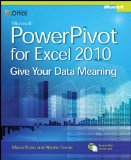
Read Vidas Matelis interview with this book authors Marco Russo and Alberto Ferrari.
Book Description
Transform your skills, data, and business—with the power user’s guide to PowerPivot for Excel. Led by two business intelligence (BI) experts, you’ll learn how to create and share your own BI solutions using software you already know and love: Microsoft Excel. Discover how to extend your existing skills, using the PowerPivot add-in to quickly turn mass quantities of data into meaningful information and on-the-job results—no programming required. The book introduces you to PowerPivot functionality, then takes a pragmatic approach to understanding and working with data models, data loading, data manipulation with Data Analysis Expressions (DAX), simple-to-sophisticated calculations, what-if analysis, and PowerPivot patterns. Learn how to create your own, “self-service” BI solutions, then share your results effortlessly across your organization using Microsoft SharePoint®.
Table of contents:
Preface
Acknowledgments
Introduction
1 First Steps with PowerPivot
2 PowerPivot at Work
3 Introduction to DAX
4 Data Models
5 Loading Data and Models
6 Evaluation Context and CALCULATE
7 Date Calculations in DAX
8 Mastering PivotTables
9 PowerPivot DAX Patterns
10 PowerPivot Data Model Patterns
11 Publishing to SharePoint
Appendix: DAX Functions Reference
Index
Tags: news