Guide for loading ContosoBI data into PowerPivot
User Rating: 5 / 5

Introduction
This article is a step by step guide on how to create PowerPivot workbook from ContosoBI database that you can download from here. This guide assumes that you already downloaded and restored ContosoBI database on your SQL Server and that you have necessary permissions to read data from data database. This guide also assumes that you already installed PowerPivot for Excel.
Step by Step guide
- Start Excel 2010
- Select menu "PowerPivot" and then click on the "PowerPivot Window" button
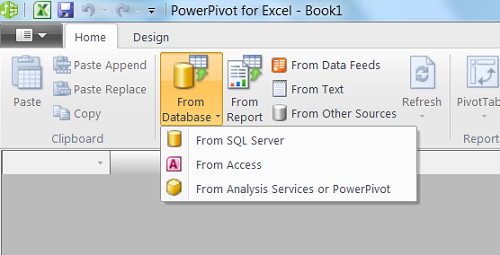
- Click on the "From Database" button and then click on "From SQL Server"
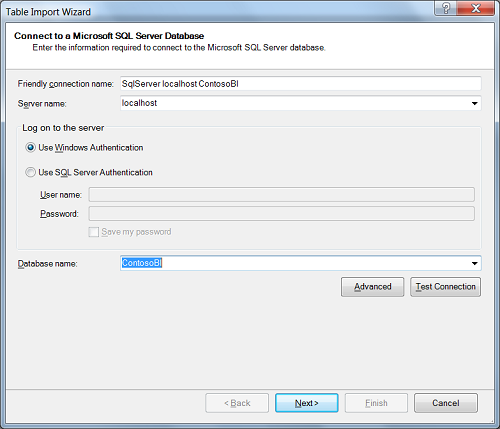
- In the "Connect to a Microsoft SQL Server Database" window Enter Server name where ContosoBI database was restored. From the "Database name" drop down list select "ContosoBI" database.Click "Test Connection" to make sure that you have necessary permissions to read data. Click "Next".
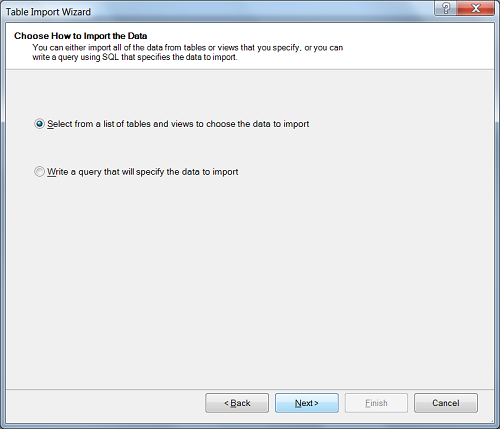
- In the "Choose How to Import Data" window select "Select from a list of tables and views to choose the data to import" and click "Next".
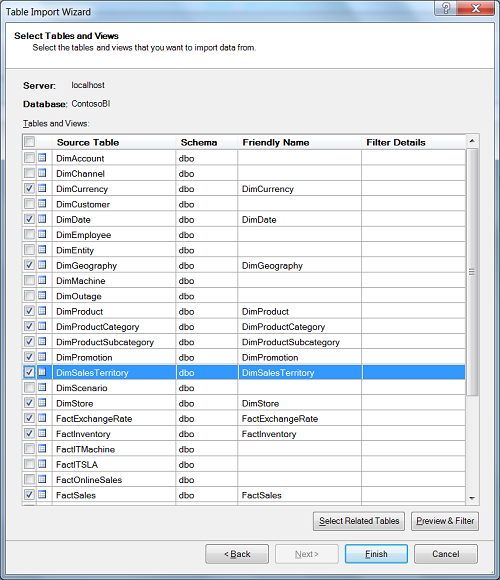
- In the "Select Tables and Views" window select tables "DimCurrency","DimDate", "DimGeography", "DimProduct", "DimProductCategory", "DimProductSubcategory", "DimPromotion", "DimSalesTerritory", "DimStore", "FactExchangeRate", "FactInventory" and "FactSales". Click "Finish" to start data load into PowerPivot process.
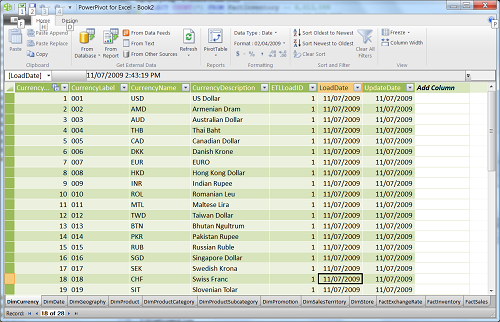
- After load completes click on "Finish" button. Now in the PowerPivot window you should see all data you just loaded in.
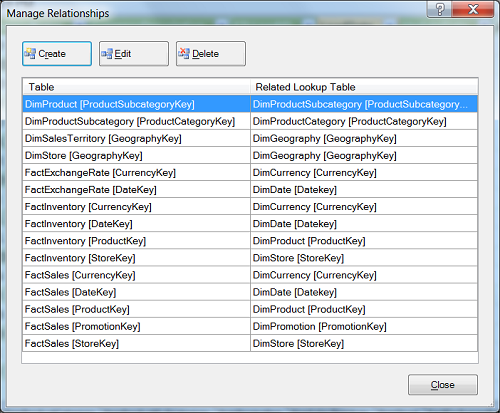
- In the PowerPivot window select "Design" menu item and then click on "Manage Relationships" button. You will see "Manage Relationships" dialog that allows you to see and edit relationships that exists between tables in the PowerPivot. Review these relationships.
- Now you have ConstosoBI data loaded into PowerPivot.
- You can download database diagram for these tables from here. It is recommended that you have printed version on this diagram in front of you when you create sample DAX calculations
Tags: introduction, load, excel